| Our Best Selling Add-Ins |
|
|
| Shopping Cart |
|
|
|
|
|
 | Think Green Add-In for Microsoft Outlook |
|
| For Outlook 2007 |
SKU: A12457 |
|
Highlights:
- Saves paper
- Prompts before printing -
"Are you sure you really need to print this?"
- Covers any method of printing
within Outlook - by button, menu, or keyboard shortcut
- Works with Outlook 2007 only
- Integrates within Outlook which means it is easy to access
|
|
Note: This add-in was retired in September 2014. Please see our store for other options.
|
| |
| Product Description |
Thinking green? It's nice to know we can help the environment by preventing needless paper printing - the simple "nag" of causing a prompt before each print helps reduce the amount of paper used. By increasing the friction to print people performing unnecessary printing jobs think about what they're doing and can question whether a physical printing is really necessary.
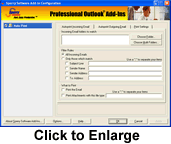
After all, the cost of printing is more than paper and ink: toner, service and maintenance costs also add up. And of course, the impact on the environment after that piece of paper is no longer needed has to be taken into account. This add-in encourages pc based scanning and emailing and reduces potential printer expenses by discouraging physical printing during the workflow process.
Think Green saves
paper costs by reducing print output resulting in a greener earth -
which is a good thing for all of us. Buy your copy
today. |
Note: This add-in is in beta. The beta version is free to download, in return for your thoughts and comments on your experience with it; it represents a new technology for Sperry Software whereby it only runs on Outlook 2007 (and higher). To download and install it, follow these simple instructions:
- Step 1 of 1: Download the add-in from here.
More Info: Are you looking for a way to monitor who is printing or perhaps need to keep track of printing by case or client number? If so, or if you need any other modifications to this add-in, please don't hesitate to contact us. We're always looking on ways to improve our products and we can work with you to design an add-in that meets your needs.
| International Customers |
| |
| Currency: |
Language:
|
|
|
Home, Corporate Sales, Federal/State Sales, Our Guarantee,
Upgrade Policy, Privacy Policy, Sitemap, About Us, Blog, KnowledgeBase
|
|
Questions or problems regarding this web site should be directed to [email protected]
Copyright © 2001-2015 Sperry Software, Inc. All rights reserved.
|
|
Microsoft and the Office logo are trademarks or registered trademarks of Microsoft Corporation in the United States and/or other countries.
|
|
|
|
| |  |
Chat with our Sales Team! |
|
|
|
|
|
|
|
|