

Add Email Address
Automatically add as contacts people you reply to or send to. Become more organized by setting up the add-in to show you each name it adds or just have it automatically add contacts without any intervention by you.
Do you miss the “Automatically put people I reply to” feature? Are you tired of having to manually add email addresses into your Microsoft® Outlook® contacts? Now you can automatically add contacts when sending to or replying to email. Become more organized by setting up this Add Outlook Email Address add-in to show you each name it adds (in a grid, where you can check which people to add) or just have it automatically add contacts without any intervention by you.
“To rebuild the contacts list from your emails after a disaster is helpful. It doesn’t restore everything, but slowly over time, with its ability to display the contact before saving, details can be built up again.”
– Anonymous
Highlights
- Automatically puts people you reply to in Contacts
- Easily adds just the people you reply to,
- those you send to, or both
- Adds all the contacts from your email to any folder
- Avoids duplication of contacts that already exist
- Ability to scan all your previous email to get caught up quick
- 2 years of chat, email, and phone support
- 2 years of free upgrades
Features
- Automatically adds the email addresses as contacts
- Add contacts to any contact folder you choose, not just the default Contact folder
- Store contacts in Microsoft® Exchange public folders or any other shared folders
- Automatically adds just the people you reply to or those you send to
- Process as many emails as you like all at once with the toolbar button
- Works with CC (carbon copy) recipients as well
- Automatically avoids adding contacts already contained in another folder
- Optionally copies the categories (if any) from the email to the new contact
- In addition, a category dropdown within the grid allows you to easily assign categories to new contacts
- Integrates directly into Outlook for easy access
- Works with Office 365, Outlook 2021, 2019, 2016
- Ability to scan all your previous email to get caught up quick
*Click on the images to enlarge.
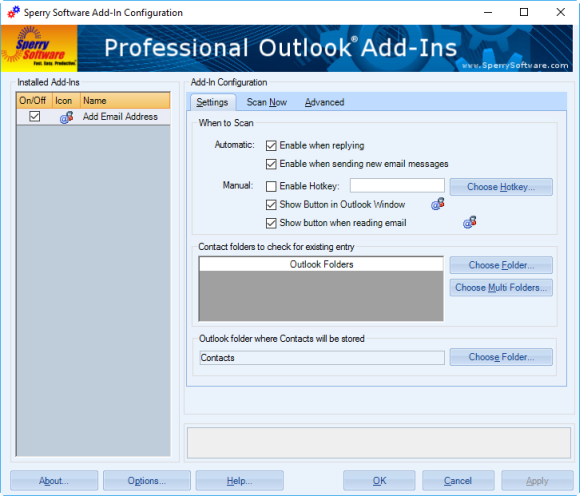
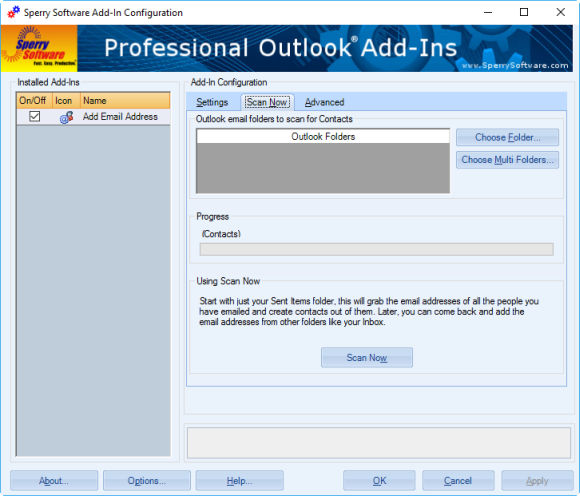
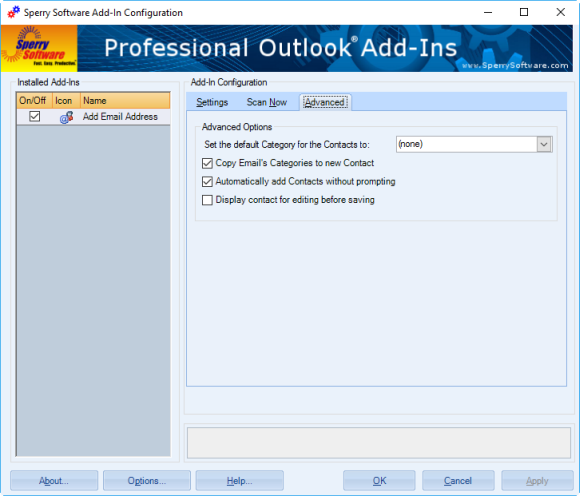
Not only can you add email addresses to any contact folder (not just your default Contacts folder), but also prevent duplicate entries by specifying folders that already have contacts in them. Buy it now!
Downloads
14-Day Trial Outlook Downloads
- These versions are for classic desktop Outlook and not "new Outlook" - see How to tell if you are using classic desktop or new Outlook.
- Our trial versions are fully functional and are the production version.
- The version you choose below is dependent on whether you have 32-bit or 64-bit Outlook - see How to tell if you have 32-bit or 64-bit Outlook installed for help.
- If you need to uninstall for any reason, review our instructions for uninstalling our add-ins.
- View our End User License Agreement.
Version: 8.2.9687.13472
Last Updated On: 2026-07-11
For Windows 11, Windows Server 2016 or higher;
And Microsoft 365, Outlook 2024, Outlook 2021, Outlook 2019, and Outlook 2016
Add Email Address for Microsoft 365/Outlook 2024/2021/2019/2016 (32-bit)
Add Email Address for Microsoft 365/Outlook 2024/2021/2019/2016 (64-bit)
Version 8.1:
Version: 8.1.9014.25446
Last Updated On: 2024-09-19
For Windows 10, 11, Windows Server 2016 or higher;
And Office 365, Outlook 2021, Outlook 2019, and Outlook 2016
Add Email Address for Microsoft 365/Office 365/Outlook 2021/2019/2016 (32-bit)
Add Email Address for Microsoft 365/Office 365/Outlook 2021/2019/2016 (64-bit)
All downloadable add-ins:
View the list of all our downloads (in alphabetical order)
More Information
Note: You might already have a limited form of this feature. To see, you can always right click the From address while reading any email; one of the choices in the drop down menu is "Add To Contacts". See this article for more information on how to add email addresses as contacts in Outlook.
Don't forget: with the ability to scan all your previous emails, you can quickly fill up your Outlook contact folders with the people most important to you. Buy your copy today!
Read More:
Send out your newsletters, press releases and other announcements to individual recipients. Individually addressing emails allows your email to make it through more spam filters and raises response rates.
Wouldn’t it be great if when you’re reading an email, you could click just one button and have all the email addresses be added to a single distribution list? Well now you can. You can also easily see which groups a given contact belongs to.
