
Scroll Top

Prevent email mistakes with Safeguard Send for Microsoft 365

Essential outgoing email protection for professionals.

The Problems

Operational Disruption
Recent data reveals that 64% of health, defense, and law firms experience accidental data leaks via email, with the average data breach now costing $4.88 million. Accidently replying to all in an email is a leading cause of errors and can slow email servers to a crawl.
Autocomplete Errors
40% of professionals accidentally send emails to wrong recipients due to Outlook’s autocomplete feature. Safeguard Send displays full email addresses and highlights external domains in red, requiring explicit confirmation before sending.
Regulatory Non-Compliance
GDPR and CPA violations from leaked personal data can result in fines exceeding $50,000 per incident. Safeguard Send for Microsoft 365 scans emails for 12+ risk patterns, including Social Security numbers and case-specific keywords.

Safeguard Send for Microsoft 365

What’s needed is a seamless Outlook add-in that prompts users before risky email sending that reduces breaches, boosts compliance, and improves security awareness-without disrupting workflow. Safeguard Send for Microsoft 365 is an Outlook add-in that prevents costly email mistakes by prompting users before risky sends, helping them to think before the email gets sent.

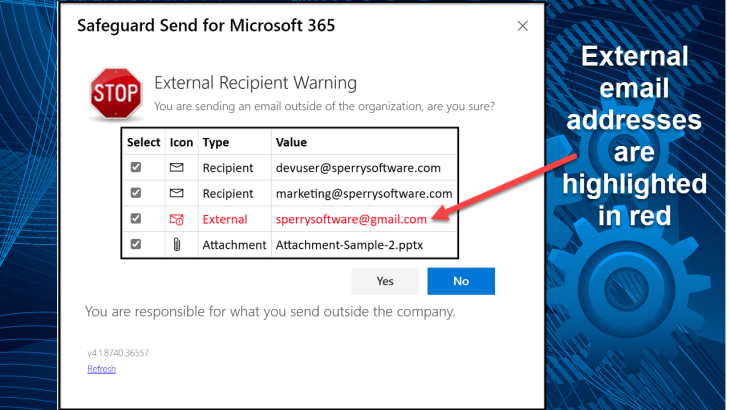
Think before sending emails.

How It Works

Safeguard Send for Microsoft 365 helps users to eliminate “reply-all” mishaps and misaddressed emails through a variety of ways:
Flagging External Domains
Visual alerts for emails sent outside firm-approved external domains. Shown above, this is the most common use of the add-in.
Blocking Restricted Addresses
Define rules to prevent emails to opposing counsel or unauthorized experts, catch sensitive data, or warn about GDPR/PII related information.
Reply-to-All Alerts
Warnings about reply to all responses in company-wide emails keeps email servers running smoothly and prevents costly mistakes.
"Safeguard Send for Microsoft 365 has significantly enhanced our confidence in email security across our organization. Since moving to the cloud-based version for Microsoft 365, an average of 4.8% of emails are revised after users are prompted by Safeguard Send—demonstrating its real impact in preventing misdirected or incomplete messages. The solution is now indispensable in our workflow, and the support team is always responsive and knowledgeable. Safeguard Send is both a reliable solution and a trusted partner."
Emmanual Mozes
IT Manager, Enser Corporation

Effortless Control, Seamless Compatibility, and Easy Deployment
Experience unmatched flexibility, broad compatibility, and hassle-free rollout—so your team stays protected and productive from day one.
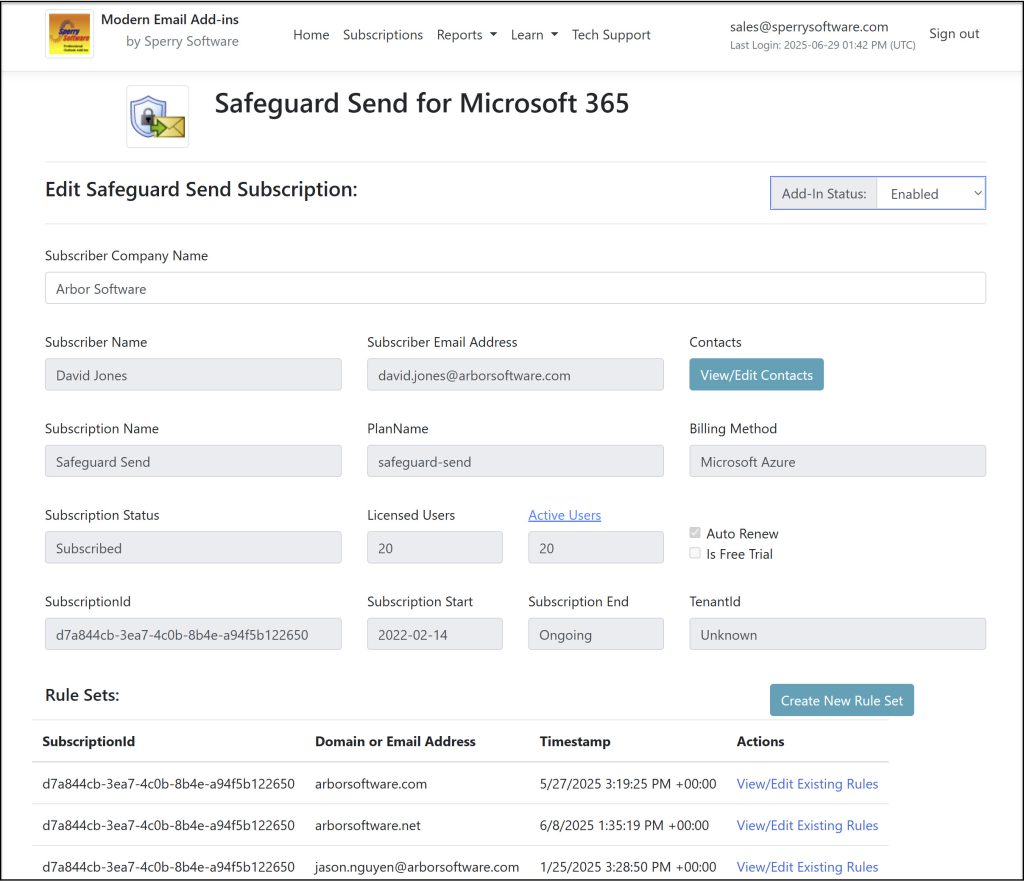
View of the Safeguard Send dashboard

Centralized Control

Tailor every prompt and rule to your firm’s needs, manage your subscription, and access reports all through a centralized dashboard.
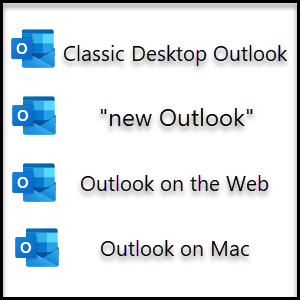
Icons of classic desktop Outlook, new Outlook, Outlook on the Web, and Outlook on Mac.

Works Where You Work

Enjoy full support for classic desktop Outlook, new Outlook, Outlook on the web, and Outlook on Mac.
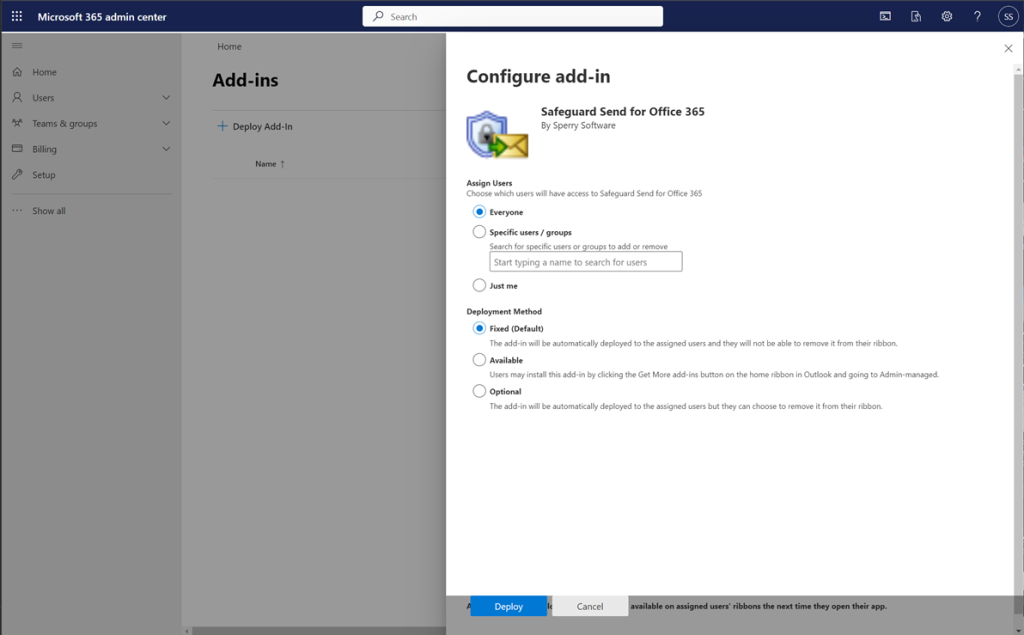
Microsoft Admin Center - Assign Users and decide on a deployment method

Instant Deployments

Deploy directly from Microsoft Azure Marketplace using Microsoft Admin Center—no more manual installs on every desktop.

Find Out More

Learn more about Safeguard Send for Microsoft 365 and how it can help your users avoid making mistakes when sending emails, the three steps to install, and our pricing options.

IT Manager purveying his domain, knowing that his emails are safer than ever before.