

Always BCC
Does your assistant or your boss need to be copied on email? This add-in will perform either a BCC (blind carbon copy) or a CC (carbon copy) automatically, every time you email. Easily create a record of important emails automatically.
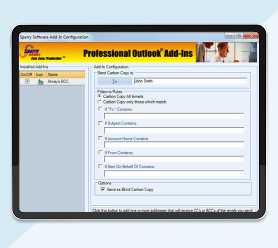
The Always BBC mailing software will perform either a BCC (blind carbon copy) or a CC (carbon copy) automatically, every time you email. It’s perfect for brokerage houses, law firms, anyone needing to comply with federal or state email regulations, or anytime you need to auto BCC someone.
This Auto BBC add-in is perfect for keeping copies in sync with your CRM software, for example Salesforce or Hubspot.
Note: Do you need to CC or BCC different people based on multiple different conditions? If so, be sure to check out our Compliance Copies add-in – it’s the “big brother” of this add-in and also supports exception clauses as well.
Highlights
- Performs a CC or a BCC automatically, every time you email or ...
- ...filter which email messages get CC'ed or BCC'ed
- Supports multiple BCC recipients
- 2 years of chat, email, and phone support
- 2 years of free upgrades
Features
- Perform a CC or a BCC automatically, every time you email or ...
- ...Filter which email messages get CC'ed or BCC'ed
- Supports sending to multiple BCC/CC recipients
- Easily enable/disable the add-in
- Integrates directly into Microsoft® Outlook®
- Works with Office 365, Outlook 2021, 2019, 2016 (both 32-bit and 64-bit)
The Always BCC add-in has a built in filter that allows you to just BCC/CC when the email you're sending meets certain conditions:
- Only when the subject matches
- Only when it's to certain people you specify
- Only when you're sending from certain accounts
- Only when you're sending on behalf of someone
- Only when you're sending from a certain email address
The add-in has all the features you'd expect. Buy it today by selecting the "Add To Cart" button above.
*Click on the images to enlarge.
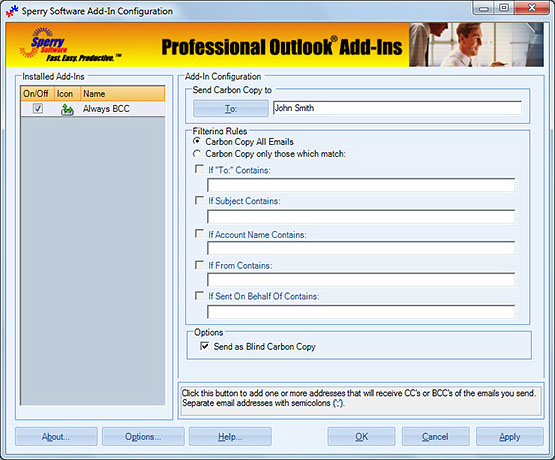
Configuring the Always BCC add-in is amazingly simple. Choose the filters, whether to CC or BCC, where to send the email, then turn it on. It works behind the scenes as you send out each email. Add it to your cart today!
Downloads
14-Day Trial Downloads
- Our trial versions are fully functional and are the production version.
- The version you choose below is dependent on whether you have 32-bit or 64-bit Outlook - see How to tell if you have 32-bit or 64-bit Outlook installed for help.
- If you need to uninstall for any reason, review our instructions for uninstalling our add-ins.
- View our End User License Agreement.
Version: 8.1.8918.26873
Last Updated On: 2024-06-01
For Windows 10, 11, Windows Server 2016 or higher;
And Office 365, Outlook 2021, Outlook 2019, and Outlook 2016
Always BCC for Microsoft 365/Office 365/Outlook 2021/2019/2016 (32-bit)
Always BCC for Microsoft 365/Office 365/Outlook 2021/2019/2016 (64-bit)
Version 8.0:
Version: 8.0.8831.21940
Last Updated On: 2022-09-27
For Windows 10, 11, Windows Server 2016 or higher;
And Office 365, Outlook 2021, Outlook 2019, and Outlook 2016
Always BCC for Microsoft 365/Office 365/Outlook 2021/2019/2016 (32-bit)
Always BCC for Microsoft 365/Office 365/Outlook 2021/2019/2016 (64-bit)
All downloadable add-ins:
View the list of all our downloads (in alphabetical order)
Are you worried about your users carelessly sending emails to the wrong people? Is letting users respond to phishing emails or perhaps classified information spills a concern for you? This Outlook add-in helps you avoid these mistakes and provides an external email warning whenever sending an email outside your company.
Do you need to BCC or CC to multiple different people? This add-in is similar to our Always BCC add-in except that it supports multiple BCC rules for multiple different people. It even provides for exceptions to the rules!
Prevent mistakes when sending – this add-in prompts when you send email outside your company, if the email contains certain words or patterns, or even if the attachments violate your conditions. It checks outgoing emails for over 12 different safeguards. Perfect for legal firms, or defense firms with sensitive communications.