

Rename Attachments
Do you spend a lot of time renaming attachments from fax services or automated scanning systems? Now you can automatically rename attachments (without removing or saving them) when sending or receiving emails.
Do you spend a lot of time renaming attachments from fax services or automated scanning systems? Now you can automatically rename attachments in Outlook (in place) when sending or receiving emails.
Automatically rename email attachments as they arrive at your inbox without you having to do anything, or on demand with the toolbar button. Easily rename just your most important Microsoft® Outlook® email attachments with our built in filter. Save time when dealing with faxes, scans, or other automated systems.
What’s the difference between this add-in and your Attachment Save add-in?
While the Attachment Save Outlook add-in will rename attachments, it removes the attachments from the email (replacing it with a URL link). But this Outlook Rename Attachments add-in leaves the attachments in place, only changing the name of the attachment
“I work in Accounting/Admin and this add-in is very helpful for me! Our copier sends scanned versions of documents to our email, which is great, but they always arrive with just a generic number without any identifier (ie “0251_01”). I don’t necessarily need to download and save the copies on my hard drive, but it’s helpful to name the file within the email of what the file is.”
– Jaimi Chapp
Highlights
- Easily rename attachments in place
- Works by right clicking on an attachment or ...
- using the "Attachment Rename" button, or ...
- automatically as emails arrive or get sent out
- Built-in filter to rename just certain attachments
- 2 years of chat, email, and phone support
- 2 years of free upgrades
Features
- Renames attachments, leaving them in place
- Renames attachments that arrive at your inbox or any other Outlook folder
- Works on outgoing email attachments as well
- Powerful filters allow you to rename only those attachments that have certain subjects only or from certain senders only
- Works with Office 365, Outlook 2021, 2019, 2016 (both 64-bit and 32-bit)
- Integrates directly into Outlook for easy access
- Easily enable/disable various features of the add-in to customize it the way you need it
- Powerful renaming suggestions capability
- Toolbar button to rename all the attachments of just the selected emails
- Quickly rename any attachment in a received email by simply right clicking and choosing rename
- Accepts a list of files to never rename - perfect for legal disclaimers
The add-in allows you to specify a list of files (including wildcards) that will not be renamed. This is useful if you continuously send (or receive) say, a terms and conditions document or a legal disclaimer attachment and you don't want to change the name of those items.
Because it also works on outgoing email, you can be sure that your attachment names all make sense. Add it to your cart by selecting the "Add To Cart" button above.
*Click on the images to enlarge.
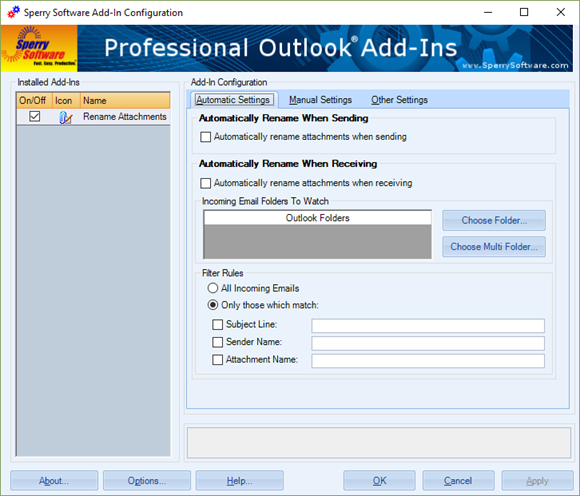
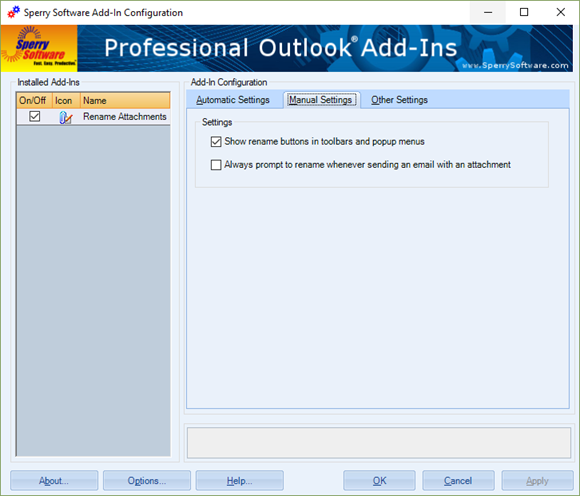
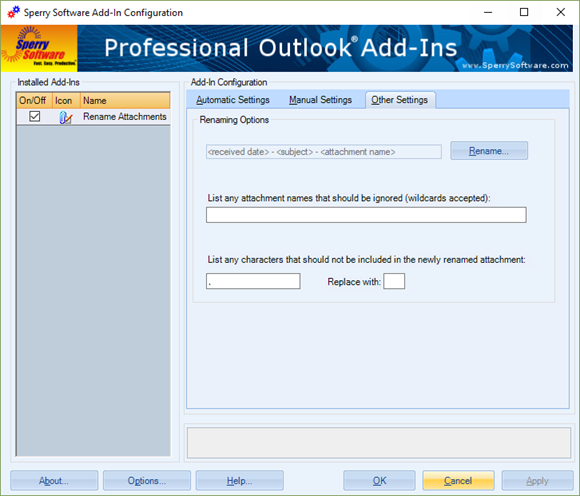
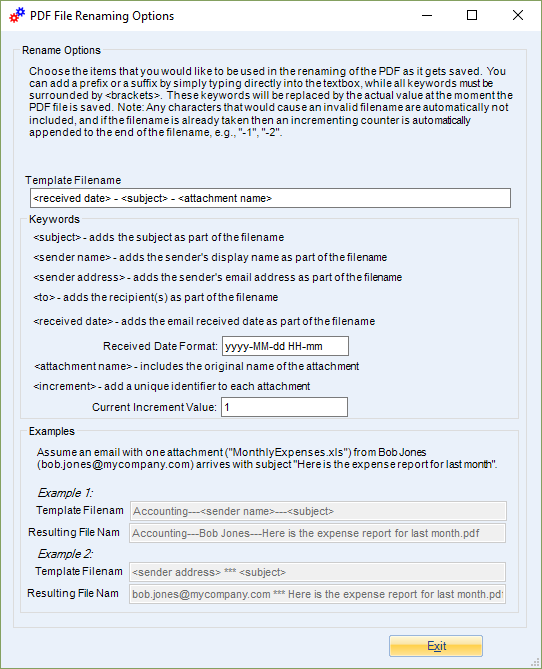
Rename attachments in place when sending or receiving, either automatically or by having the add-in prompt you each time.
Downloads
14-Day Trial Outlook Downloads
- These versions are for classic desktop Outlook and not "new Outlook" - see How to tell if you are using classic desktop or new Outlook.
- Our trial versions are fully functional and are the production version.
- The version you choose below is dependent on whether you have 32-bit or 64-bit Outlook - see How to tell if you have 32-bit or 64-bit Outlook installed for help.
- If you need to uninstall for any reason, review our instructions for uninstalling our add-ins.
- View our End User License Agreement.
Version: 8.2.9687.13531
Last Updated On: 2026-07-10
For Windows 11, Windows Server 2016 or higher;
And Microsoft 365, Outlook 2024, Outlook 2021, Outlook 2019, and Outlook 2016
Rename Attachments for Microsoft 365/Outlook 2024/2021/2019/2016 (32-bit)
Rename Attachments for Microsoft 365/Outlook 2024/2021/2019/2016 (64-bit)
Version 8.1:
Version: 8.1.8918.27178
Last Updated On: 2024-06-01
For Windows 10, 11, Windows Server 2016 or higher;
And Office 365, Outlook 2021, Outlook 2019, and Outlook 2016
Rename Attachments for Microsoft 365/Office 365/Outlook 2021/2019/2016 (32-bit)
Rename Attachments for Microsoft 365/Office 365/Outlook 2021/2019/2016 (64-bit)
All downloadable add-ins:
View the list of all our downloads (in alphabetical order)
The Timed Email Organizer add-in keeps your Inbox neat and tidy by organizing emails using rules. These rules aren’t associated with Outlook rules, and you can even test out your rules before implementing them.
Similar to our standard Attachment Save add-in, this add-in will automatically save emails and/or attachments using rules. It will save to different Windows folder locations based on the subject, or who it’s from, etc. Completely versatile with an unlimited number of rules!
Save space in your inbox! Keep your email in Outlook and your attachments in a separate Windows folder with this powerful Save Emails and Attachments add-in. It automatically replaces attachments with a link to the file.
