Scroll Top

This content is password protected. To view it please enter your password below:

Useful Outlook
Add- Ins For Everyone
Sperry Software Outlook solutions are built using best practices and designed to save you time. Be more productive, improve security and eliminate mistakes with our apps, add-ins, and cloud services for Microsoft Office 365 and Outlook. Make your email life easy even if you’re too busy to manage your inbox!

Whether Big or Small, We Have Solutions

Big business or small team, email is the same. Sperry Software has solutions that cater to all businesses, from SMB to full enterprise. We also
custom build Outlook add-in solutions based on your needs and workflow. Learn more below, or feel free to contact us to start your custom project.
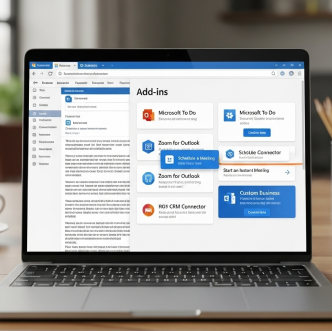
Outlook Add-Ins

Explore our extensive line of the best Outlook add-ins.
These powerful utilities fill the gaps in Outlook, allowing you to automatically print, save emails as PDFs, schedule emails, prevent mistakes, and much more.

Office 365 Solutions

See our Microsoft 365 solutions that work with your Outlook 365 account.
Office 365 Cloud? We have solutions! Most of our Office 365 add-ins work in desktop Outlook, Office on the Web and on Macs. Some also work on Android and iPhone.

Enterprise Solutions

Sperry Software can provide customized enterprise-class solutions.
We have developed solutions for centralized control to make it easy to administer. Our enterprise Outlook solutions are designed for your use case, and your organization.

Amazing Tech Support & Updates for 2 Years

Sperry Software knows that great support for our customers is key, and you are no exception. When you buy from Sperry software, you are licensed and covered for 2 years. Every Outlook app, add-in, or tool, no matter big or small, comes with Sperry Software tech support, where a human being answers the phone. Have questions, need help, or have a custom project?

Microsoft 365 Add-Ins

These products are specifically for Microsoft 365, meaning they will work on classic desktop Outlook, Outlook on the Web (OWA), new Outlook, and Outlook on MACs.
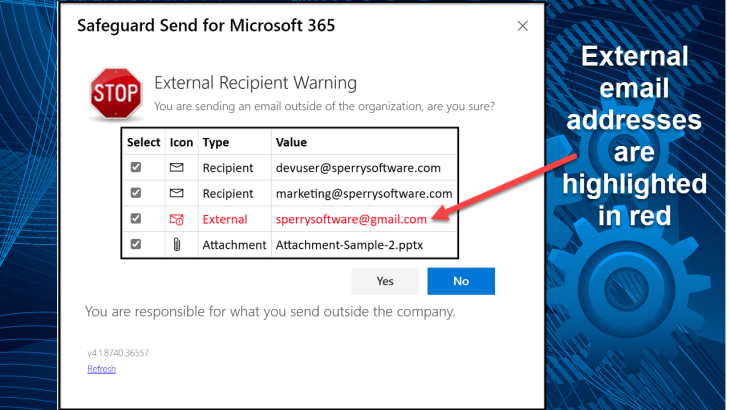
Safeguard Send for Microsoft 365

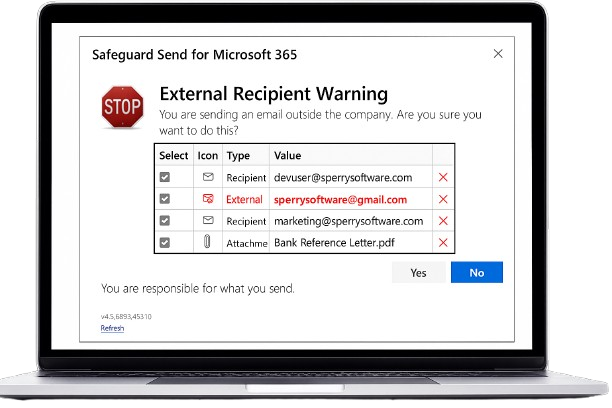
Are you worried about your users carelessly sending emails to the wrong people? Is letting users respond to phishing emails or perhaps classified information spills a concern for you?

$32.00
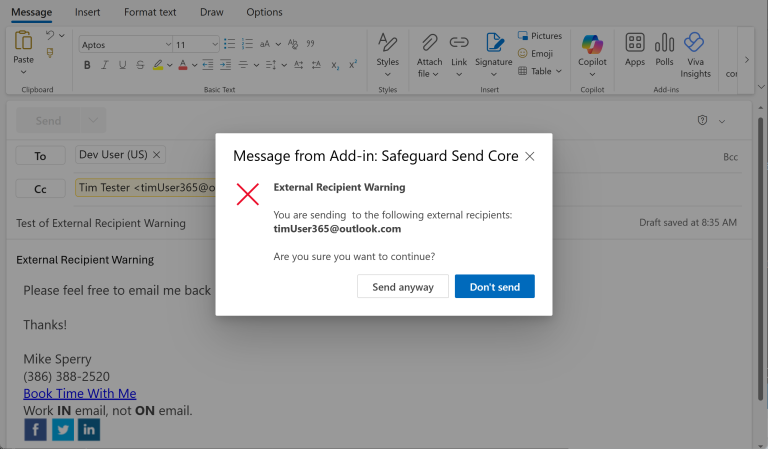
Safeguard Send
Core

This add-in duplicates the functionality of our flagship product (Safeguard Send for Microsoft 365) but with a reduced feature set, along with a reduced price – just $12/user/year.

$12.00

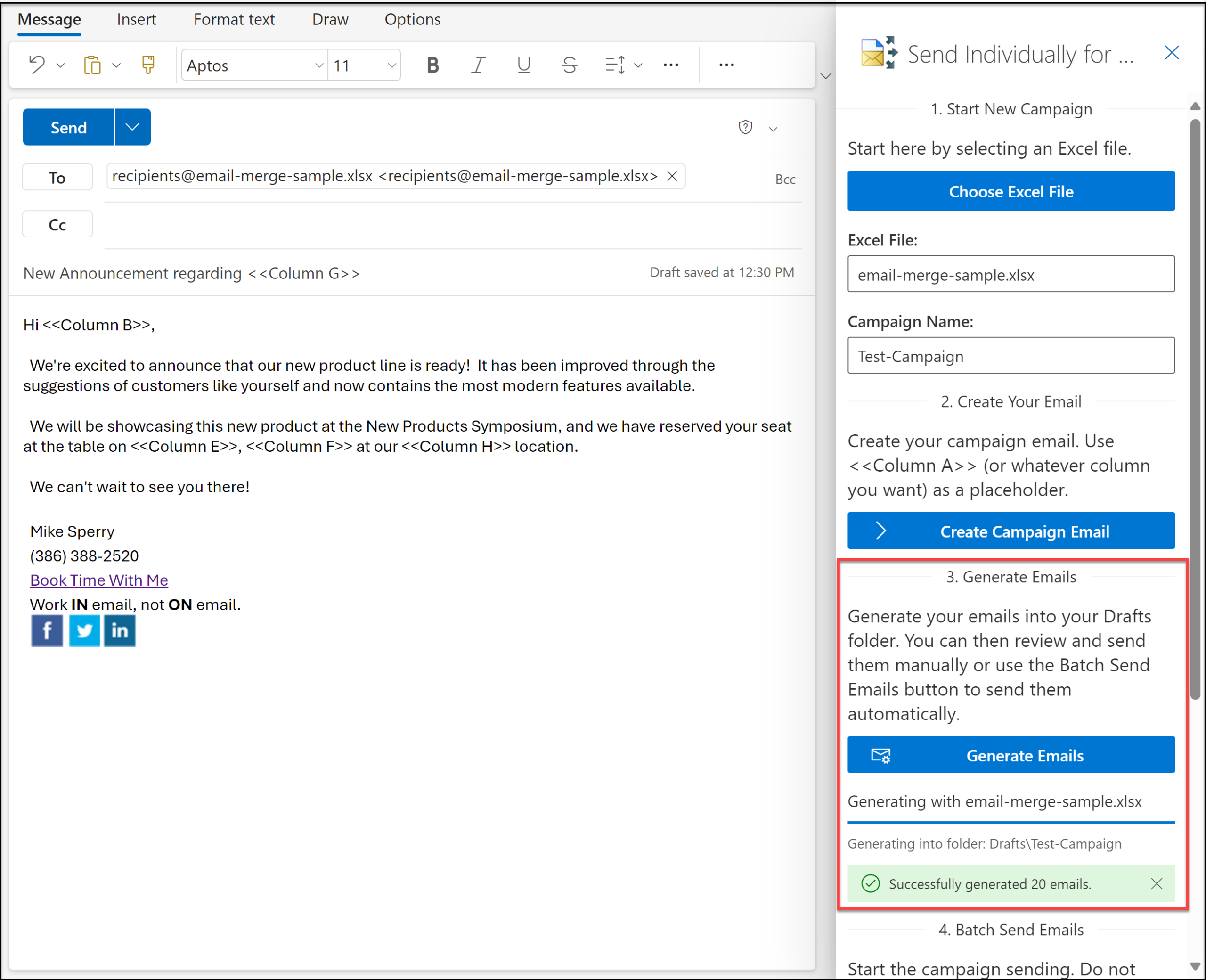
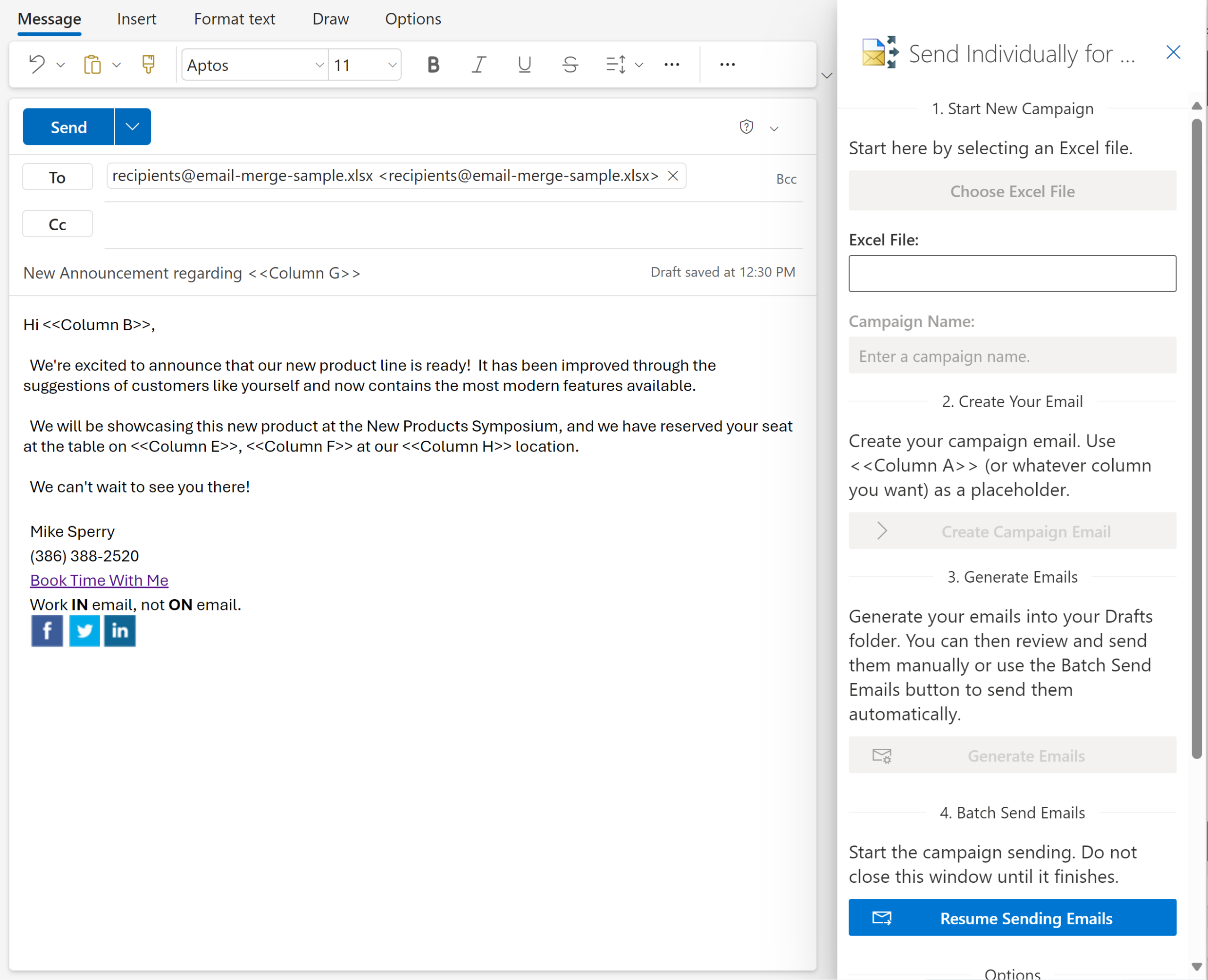
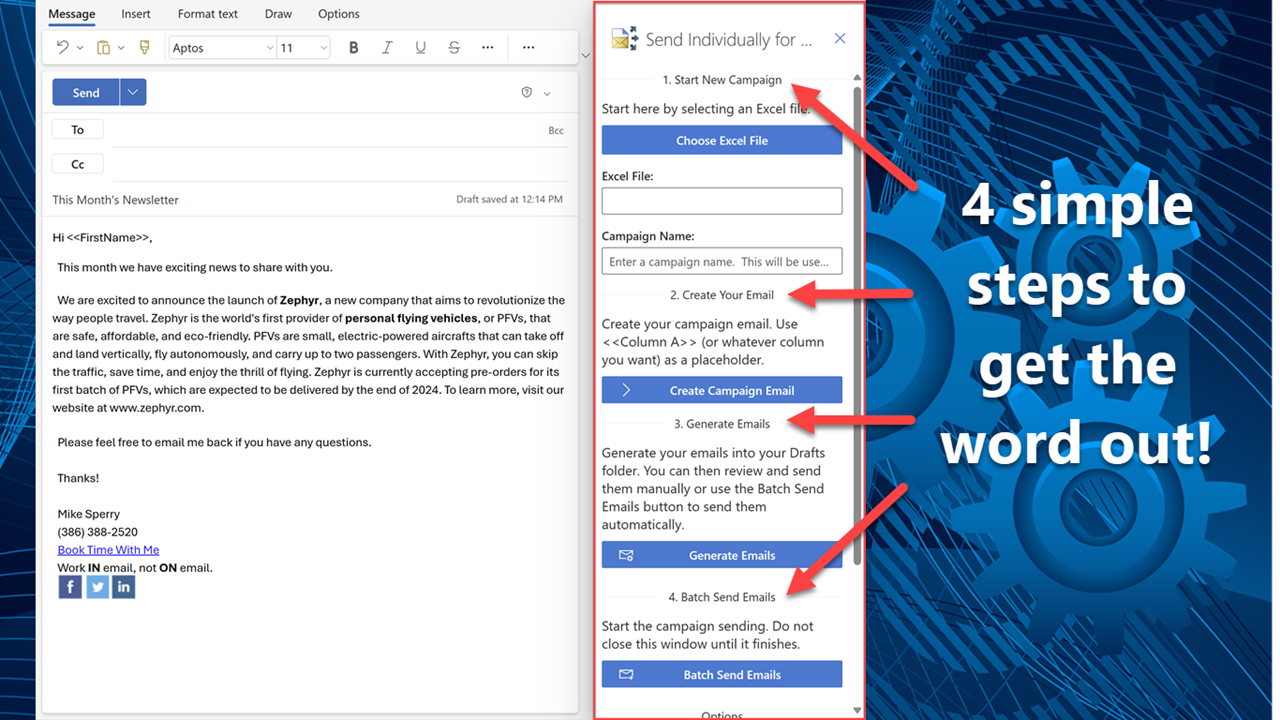
Send Individually for Microsoft 365

Grow your business with this email tool built specifically for Microsoft 365 users and easily reach your most important people one to one. Designed with simplicity in mind, send personalized emails right ........

$60.00
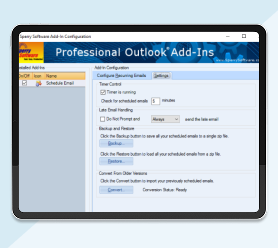
Save As PDF for Microsoft 365

Save more money! Select any three of the add-ins below for just $145.95 and they will be added to your cart as a single bundle. They must still be downloaded and installed individually.

$149.95
About Us

Based just south of Jacksonville, FL (US), Sperry Software has been developing and marketing Outlook add-in solutions since 2001. With a commitment to fast, easy, and productive solutions over 100,000 customers have been served including major fortune 500 companies like Verizon Wireless, Microsoft, RBS and the US Navy.

Our Customers Love Us! We Hope You Will Too

Andrew K

The use I have gotten out of the Sperry Software outlook add-in has been priceless. It adds value to my work and makes my life easier. It rarely has issues that compromise it’s functionality.

Miguel R

This Ms Outlook addin saves me countless hours, organizing my outlook emails. Such functionality is priceless – all organization should use this addin.

Bud M

You have an amazing and comprehensive website with products that will make my life much easier. Thank you for your time and effort to make these products possible.

Latest News From Blog
13 Nov: Introducing Granular User Control in Safeguard Send for Microsoft 365

We’re excited to announce a powerful new feature in our Safeguard Send for Microsoft 365 add-in for Outlook: Allowed/Blocked Users….

30 Oct: Microsoft Azure Outage: What Happened, Why Safeguard Send Was Affected, and What We’re Doing About It

On October 29, 2025, Microsoft experienced a significant global outage that affected millions of users and businesses worldwide. For eight…

11 Aug: Improved Send Metrics Display Times

About a year ago, we introduced Send Metrics, a reporting tool that allows you to view statistics about your users…

09 Jun: New Dashboard Features: Enhanced Subscription and User Insights for Safeguard Send

We’re excited to announce a major update to the Sperry Software dashboard for both Safeguard Send for Microsoft 365 (SS365)…

14 Apr: Streamlining Safeguard Send Core: Simplified Dashboard Updates for Better User Experience

This month we made changes to the dashboard that affect customers who are using Safeguard Send Core.  We now disable…

07 Apr: Custom Corporate Branding for Safeguard Send for Microsoft 365

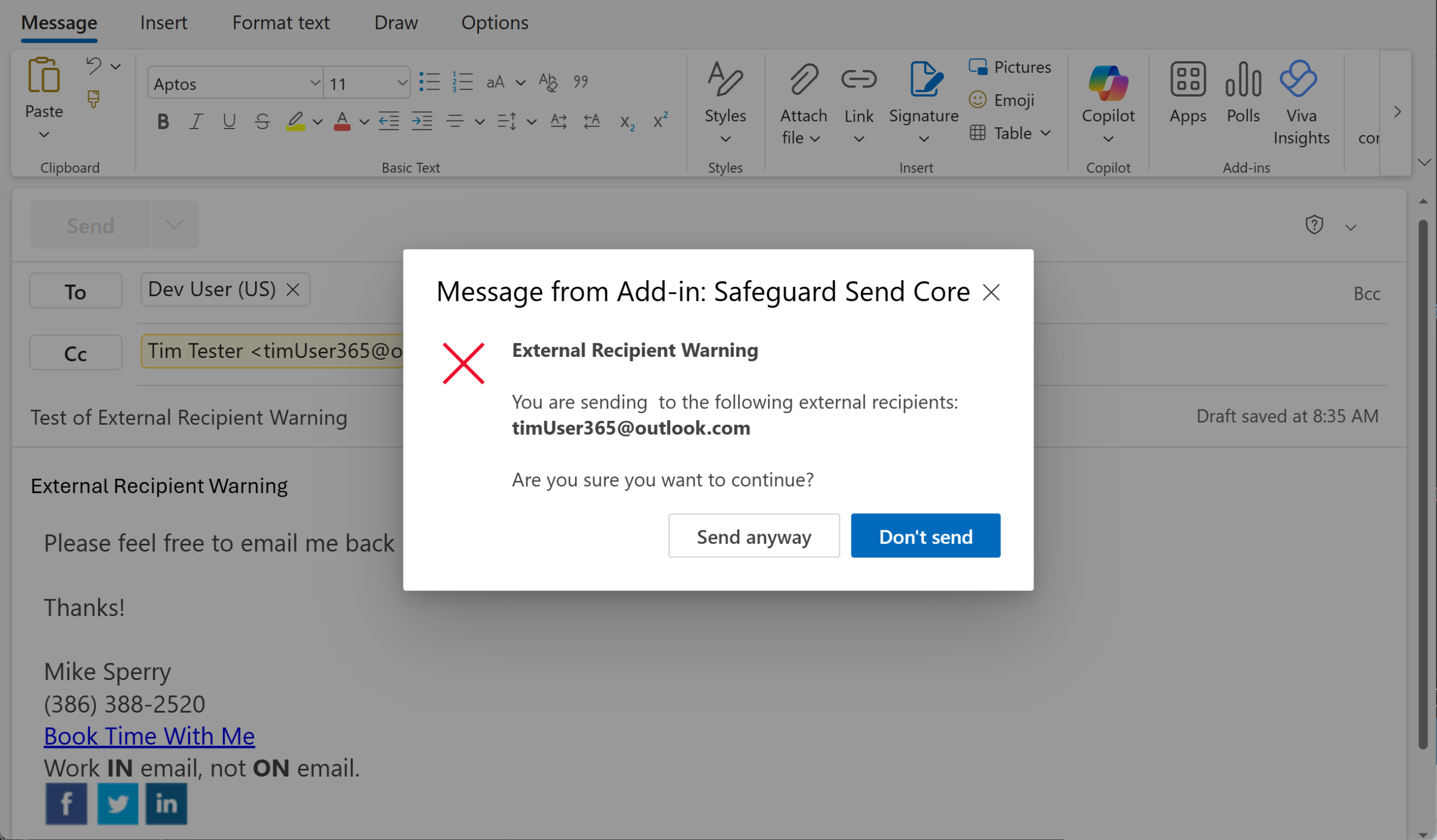
When using Safeguard Send for Microsoft 365 (note: not Safeguard Send Core), the typical warning prompt looks like this: It…

13 Nov: Introducing Granular User Control in Safeguard Send for Microsoft 365

We’re excited to announce a powerful new feature in our Safeguard Send for Microsoft 365 add-in for Outlook: Allowed/Blocked Users….

30 Oct: Microsoft Azure Outage: What Happened, Why Safeguard Send Was Affected, and What We’re Doing About It

On October 29, 2025, Microsoft experienced a significant global outage that affected millions of users and businesses worldwide. For eight…

11 Aug: Improved Send Metrics Display Times

About a year ago, we introduced Send Metrics, a reporting tool that allows you to view statistics about your users…

09 Jun: New Dashboard Features: Enhanced Subscription and User Insights for Safeguard Send

We’re excited to announce a major update to the Sperry Software dashboard for both Safeguard Send for Microsoft 365 (SS365)…

14 Apr: Streamlining Safeguard Send Core: Simplified Dashboard Updates for Better User Experience

This month we made changes to the dashboard that affect customers who are using Safeguard Send Core.  We now disable…

07 Apr: Custom Corporate Branding for Safeguard Send for Microsoft 365

When using Safeguard Send for Microsoft 365 (note: not Safeguard Send Core), the typical warning prompt looks like this: It…

02 Apr: Celebrating Microsoft’s 50th Anniversary: A Partner’s Perspective on Innovation and Growth

Microsoft’s Legacy Recently Microsoft let everyone know that the company is celebrating their 50th anniversary.  We here at Sperry Software…

18 Mar: How Safeguard Send Could Have Prevented a DHS Email Mishap

How Safeguard Send Could Have Prevented a DHS Email Mishap In January 2025, a Department of Homeland Security (DHS) staffer…

25 Feb: Version 7.1 of All Our Add-ins Will Be Affected By Upcoming Security Changes

Version 7.1 of all our add-ins will be affected by security changes going into effect soon.  Back in October of…

21 Nov: Deduplication Is Now Available In New Outlook

Microsoft recently implemented the ability to remove duplicate contacts in Outlook on the Web and in new Outlook (note: not…

22 Oct: Enhancing Cyber Security

Enhancing Cyber Security: Sperry Software’s Commitment to Your Safety You might think based on the title that this article is…

24 Sep: Introducing Safeguard Send Core

Introducing Safeguard Send Core: Enhancing Email Security for Your Organization In today’s fast-paced business environment, email remains a critical communication…

20 Aug: Announcing Version 8.1 of All Desktop Outlook Add-ins

[Update 2024-09-19: Issues with the site have been resolved.  The problem was that the database ran out space, which prevented…

12 Jul: Over 10,000 Positive Reviews – Thank You

At Sperry Software, we’re thrilled to announce a significant milestone in our journey: surpassing 10,000 positive reviews! This achievement is…

27 Jun: Introducing Send Metrics: Empowering Managers with Email Insights

We’re excited to announce that Send Metrics, a powerful new feature for Safeguard Send for Microsoft 365, is now available…

29 May: Send Individually for Microsoft 365 Is Now on Microsoft AppSource

We’re excited to announce that our popular Outlook add-in, Send Individually for Microsoft 365, is now listed on Microsoft AppSource!…

23 Apr: Important Security Updates for Several Add-Ins

This month we want to make you aware that Auto Print, Auto Print Pro, Print On Demand, Save As PDF,…

26 Mar: Microsoft Clarifies the Deployment Schedule for New Outlook

Almost a year ago we wrote about how the majority of our add-ins would not work with the new version…

26 Feb: Introducing Send Individually for Microsoft 365

Send Individually for Microsoft 365 is a powerful Outlook add-in tailored specifically for Microsoft 365 users. It addresses a common…

24 Jan: End to End Email Encryption and Safeguard Send for Microsoft 365

Do you use an end-to-end encryption service for your email (e.g., Zix Secure)?  If so, you may be interested in…

27 Nov: Introductory Video: Safeguard Send for Microsoft 365

This month, in order to help communicate all the changes that are coming by both us here at Sperry Software…

10 Oct: 3 Ways Customers Use Schedule Recurring Email for Office 365 to Save Time and Increase Productivity

Although AI is fast becoming a way to cutdown on tedious tasks, there are still traditional ways to save time…

15 Aug: Introducing Phishing Net AI for Microsoft 365

A few weeks ago, we wrote about the coming onslaught of AI powered spear phishing email campaigns, where highly convincing…

19 Jul: How a Simple Typo Exposed US Military Secrets to Mali (and How to Avoid It)

Imagine sending an email with confidential information to the wrong person, just because you typed one letter wrong.  That’s what…

18 Jul: Safeguard Send for Microsoft 365 Can Now Prompt When Sending Email to Two Different Companies

  This month we are introducing the following new features for the Safeguard Send for Microsoft 365 add-in for Outlook:…

30 Jun: Windows 10 and Sperry Software v7.1 Causing Outlook to Disconnect

Recently Microsoft issued a security update for Outlook that is causing a problem with all our version 7.1 (desktop) add-ins,…

13 Jun: The Rising Tide of AI-Powered Spear Phishing

Cybersecurity is not just a concern but a crucial necessity. One of the emerging and deeply unsettling trends we’ve noticed…

10 May: Thinking About Switching to the Newest Version of Microsoft Outlook? Read This First…

You might have been offered to try the newest version of Outlook like several of our customers have been reporting. …

17 Apr: Safeguard Send for Microsoft 365 – Force Users to Confirm Each Email Address

Safeguard Send for Microsoft 365 lets you review recipients and attachments before sending emails.  But now, it has a new…

16 Mar: Safeguard Send for Microsoft 365 – Announcing The New Dashboard

Sperry Software’s Safeguard Send: The New Dashboard Feature for Microsoft 365 Sperry Software is a renowned provider of software solutions…

08 Feb: All New Versions (v8.0) Are Now Released Out of Beta

A few months ago, we released all new versions of the desktop Outlook add-ins.  These new versions were marked as…

20 Jan: A Recent Microsoft Update Breaks Some Add-Ins

If you have Auto Print, Auto Print Pro, Print On Demand, Save As PDF or Save As PDF Pro and…

13 Oct: Announcing Version 8.0 of Our Desktop Add-Ins

This month, we’re happy to introduce all new versions of our desktop Outlook add-ins, version 8.0! These versions have been…

22 Sep: New Bug Found In The Underlying Engine

On Saturday, Sept 17th we released new versions of the add-ins.  The new versions fixed a small problem in the…

21 Sep: Humans Make Mistakes

Recently, Alex Jones’ law team inadvertently sent cellphone data to opposing legal counsel.  The cellphone data contained texts regarding the…

24 Aug: What’s New Page Improvements

Last month we talked about how to check for updates, but if you wanted to see what versions were out…

18 Jul: Automatic Updates Are Now Turned On

A while ago, we started planning on getting automatic updates implemented so that all you would have to do is…

21 Jun: How to Warn Users When They Are Going to Send Emails to Certain Addresses

This week we implemented a new condition for the rules in Safeguard Send for Office 365.  Most customers like the…

14 Jun: Tightening Security in Safeguard Send for Office 365

As Safeguard Send for Office 365 matures, it’s important to tighten up security as more and more customers begin using…

02 May: Planned Maintenance for Safeguard Send for Office 365 (Part 2)

We wanted to let you know that tonight we will be performing maintenance changes for the Safeguard Send for Office…

25 Apr: Planned Maintenance for Safeguard Send for Office 365

Tonight (April 25, 2022) we will be performing upgrades to the Safeguard Send App for Office 365 underlying architecture.  The…

20 Apr: The One Thing You Can Do To Improve Your Email Security

In light of recent world events, leaders have been advising all email users to have a posture of “shields up”. …

15 Mar: Save As PDF Pro Gets Ability to Schedule Conversions

A while back we wrote an article about how it is important to convert emails to PDF as soon as…

25 Jan: Updates: Save As PDF Pro, Power Rules Manager, and Pricing Changes

This month we are bringing you updates for our software like Save As PDF Pro, Power Rules Manager, and changes…

06 Jan: Schedule Recurring Email Pro Add-In

Use our new Schedule Recurring Email Pro add-in to create, schedule and personalize your emails! It’s like our standard Schedule…

14 Dec: Jenny’s Issue

Jenny is a real estate agent.  Like all realtors, she needs to send her monthly list of available homes (her…

03 Nov: Dealing With Outlook’s Autocomplete Feature

Have you made this mistake?  You go to compose a new email, place the cursor on the To line and…

11 Oct: Why It’s Important to Convert Your Emails to PDF Early And Often

We recently had a customer who is using the Save As PDF Pro add-in to convert emails regarding a particular…

21 Sep: We Now Accept Bitcoin and Other Crypto Currencies

Here at Sperry Software we have to be aware of changing trends in both our email related industry and also…

10 Aug: How to Enforce Timely Responses By a Team When Using a Shared Mailbox

For some companies, timely responses are important but when several employees are using a single Outlook shared mailbox to deal…

26 Jul: Ransomware On The Rise

Last month Revil, a hacking syndicate, simultaneously hacked 200 companies at once. Furthermore, the pace of attacks is relentless. I…

15 Jun: 20 Year Anniversary

This year we celebrate our 20th anniversary, and so we’re giving you 20% off! When we first started back in…

11 May: Introducing a New App: Safeguard Send for Office 365

This month we’re introducing a new Office 365 app called Safeguard Send for Office 365.  Some of you are probably…

19 Apr: We’re Adding Annual Subscription Plans

To make everyone’s lives easier, we are now offering yearly subscriptions.  If you are currently paying for a subscription on…

08 Mar: Introducing Timed Email Organizer for Office 365

About two years ago, we introduced a new product line of cloud based services where the add-ins would run on…

16 Feb: New “Modern” Style Add-In: Phishing Net

This month, we are introducing a new product line.  This new product line consists of add-ins, similar to what we’ve…

11 Jan: 2021 Road Map

Like many of you, we are formulating our goals for the upcoming year.  While we’re not sure if we’ll reach…

11 Dec: In Memory of Tony Hsieu

We learned of Tony Hsieh’s untimely death this month.  He was the CEO of Zappos, which had incredible customer service…

02 Oct: Safeguard Send Now Supports Working With MSIP/AIP

  “If you cannot do great things, do small things in a great way.“ – Napoleon Hill Over the last…

08 Sep: How to Send Texts Through Email

Recently a user asked us to build the ability to send text messages through email from the Outlook Timed Email…

17 Jun: How Timed Email Organizer Can Detect Missing Automated Emails

When a scheduled email fails to reach you, how often do you remember to check it? As a human it’s…

18 May: Introducing Quick Text Hotkeys Pro

We’re all trying to be more efficient as we work from home.  It’s important that once you carve out a…

11 May: Quick Text Hotkeys Pro Add-In

Save time by inserting with a function key frequently used text like header/footers, business signatures or family/friend signatures, subject lines,…

23 Mar: Tips to Improve Working From Home

With the Corona virus outbreak, it may be the case that you are now working remotely.  At first, this seems…

10 Mar: New Features in Timed Email Organizer

Last time we spoke about Timed Email Organizer, the add-in that helps you organize your emails through rules, we mentioned…

12 Feb: Automatic Updates Turned On – Phase 1

In the last several email newsletters, we’ve been letting you know that we have been working on getting Microsoft Outlook…

21 Jan: Our 2020 Goals

Like many of you, we are formulating our goals for the upcoming year.  While we’re not sure if we’ll reach…

16 Dec: New Renaming Feature in Save As PDF Pro

One of the more useful features in both Save As PDF and Save As PDF Pro is the ability to…

16 Dec: Date Display Format Tricks

Save As PDF, Save As PDF Pro, Attachment Save, Attachment Save Pro, Rename Attachments and Quick Text Hotkeys all allow…

21 Nov: Zoom Email Windows Price Going Up

One of the most useful add-ins (especially for older people or those with vision problems) is Zoom Email Windows. This…

15 Oct: New 7.1 Versions – Fixed Bugs

We’ve been improving the add-ins, and have a number of fixed bugs to report – these bugs were all present…

04 Oct: Reply With Attachments Add-In

Makes it easy to loop in someone new to the email thread without having to forward then re-add all the…

30 Sep: New Add-In: Reply With Attachments

It’s always interesting to talk with people using Outlook, and the ways they get things accomplished. One day last year…

13 Aug: Several Add-Ins Being Retired

This month we are retiring several less popular add-ins: Follow Up Reminders, Hide Fax Numbers, Mobile Email Redirect, Random Quotes…

11 Jul: New Versions of Our Outlook Add-Ins

This month we’re introducing version 7.1 of most of our add-ins.  The previous version 7.0 (which was still in beta)…

19 Jun: Announcing Our Newest Add-In: Attachment Save Pro

Late last year, and earlier this year we released versions of Auto Print Pro and Save As PDF Pro. These…

19 Jun: Attachment Save Pro

Easily save emails and/or attachments to disk! Keep your email in Outlook and your attachments in a separate Windows folder…

10 May: Microsoft Word Security Notice – Fixed

Microsoft recently released an update that has begun to affect users of some of our add-ins. Specifically, the error looks…

19 Mar: How to Use Outlook Rules (A Beginner’s Guide)

[Note: This article has been updated and moved here.]

19 Feb: Power Rules Manager (and Other) Bug Fixes

Here at Sperry Software we’re committed to making sure that we provide the very best Outlook add-ins. To that end,…

15 Jan: Save As PDF Pro Is Officially Out of Beta

Today, we are releasing the Save As PDF Pro out of beta. In our last blog post about the new…

01 Oct: Important Recent Bug Fixes to Several Add-Ins

We’ve been hard at work correcting errors reported by customers like you. Here are the important general bug fixes that…

19 Sep: Save As PDF Pro Now Supports Rules

You may be familiar with one of our other add-ins, Auto Print Pro. Auto Print Pro allows you to print…

11 Sep: What To Do When Outlook Doesn’t Work

No matter how well written add-ins are (and even Outlook itself), there will always be the occasional Outlook problem that…

13 Aug: How to Print Only the First Page of an Outlook Email

When it comes to printing emails, sometimes it’s only necessary to print the first page of an email, because the…

08 Aug: Creating and Testing Rules in Outlook

Last time I wrote about the Timed Email Organizer, when the new automatic reply and auto forward actions were added….

17 Jul: In Defense of Email…Ten Years Later (Almost)

We last visited this topic in June 2009.  Back then, a slew of articles about upcoming technologies promised the end…

04 Jun: New Features Added To Timed Email Organizer

Timed Email Organizer is one of our most overlooked add-ins.  With its ability to organize your inbox on a constant…

21 May: Terms & Conditions and Privacy Policy Updates

   If you’re like us, you’re probably seeing a lot of updates regarding updates to both Terms & Conditions and…

24 Apr: How We Deal With Junk Mail

Recently a customer asked if we have an add-in that deals with Junk Mail in Outlook. We don’t have one…

21 Mar: Recent Features and Bug Fixes

We recently updated a number of add-ins with features and fixed a few bugs along the way: Auto Print Pro…

24 Jan: Save As PDF Pro Add-In

Everything our standard Save As PDF does plus it converts emails to a single PDF file (known as a PDF…

10 Nov: Auto Print Pro

Just like our standard Auto Print, but you can print emails and/or attachments to different printers based on the subject…

05 Oct: Mitigating Risks of Using the Autofill Feature in Outlook

To save time when composing a new email, many people will type the first letter of a well known email…

03 Oct: Autocomplete Manager

Prevent mistakes when using tab to select email addresses in the To field by clearing out your autocomplete list on…

19 Sep: August and September Updates

You may have noticed we weren’t available in late August. And again in early September. Here’s why. On August 17th,…

02 Mar: Timed Email Organizer Add-In for Outlook 2016

The trouble with email is simply the volume of information that you receive every day. Each day, emails must be…

09 Feb: Safeguard Send for Outlook 2016 Is Now Released

Prevent mistakes after clicking the Send button with the newly released Safeguard Send add-in. It checks outgoing emails after you…

19 Jan: Save As PDF for Outlook 2016 Is Now Released

Save As PDF is an Outlook email add-in that converts your emails and/or attachments to PDF files. It first converts…

12 Jan: Schedule Recurring Email for Outlook 2016 Is Now Released

Our Microsoft Outlook 2016 Schedule Recurring Emails Add-In allows you to send repetitive, recurring emails with ease. By creating one…

05 Jan: Auto Print for Outlook 2016 Is Now Out of Beta

We’re happy to announce that Auto Print for Outlook 2016 is now fully released and no longer in beta.  All…

09 Sep: New Versions of the Add-Ins for Outlook 2016

Announcing our support for Outlook 2016 and Windows 10! We’ve actually had these add-ins available for download for a few…

22 Jul: A Customer Asks About Printing Invoices…

Recently we received an email from a customer asking us this: “I have a need to print PDF attachments to…

15 Jul: Time/Date Signature, File Fetch, and Help Desk Email Templates Are All Being Retired

Similar to our earlier announcement about some of the add-ins being retired, this week we have several others that are simply not…

01 Jul: Sent Items Organizer, Incoming Mail Organizer, and Delete Stale Emails Are All Being Retired

For a long time now, Sperry Software’s line of add-ins has been increasing, and this has been good in general,…

15 Jun: New Article: How to Zoom Email Windows in Outlook

As we age, it becomes more important to be able to modify the zoom setting when working in Outlook.  It’s…

06 Jan: Power Rules Manager Supports Drag And Drop

A problem with Outlook is controlling the order of execution in Outlook rules. Let’s say you have 1000 rules, and…

30 Sep: Email Reminders Add-In

That little popup in Outlook doesn’t do you much good if you’re away from your desk. But if you have…

29 Sep: Zoom Email Windows Add-In

Automatically zoom your Outlook windows to your specified zoom percentage. Now you can set your preferred zoom percentage to be…

29 Sep: Watch Folders Add-In

Note: This product has been discontinued. The features are being rolled into the Timed Email Organizer add-in. Need to be…

29 Sep: Vcard Converter Add-In

Outlook already allows you to convert your contacts into vCard format, but only one at a time. But with the…

29 Sep: Timed Email Organizer Add-In

The Timed Email Organizer add-in keeps your Inbox neat and tidy by organizing emails based on how old they are…

29 Sep: Send Individually Add-In

Send out your newsletters, press releases and other announcements to individual recipients. Individually addressing emails allows your email to make…

29 Sep: Secure Email Forward Add-In

Note: This product has been discontinued. The features are being rolled into the Timed Email Organizer add-in. Does your IT…

29 Sep: Schedule Recurring Email Add-In

Do you need to send recurring email? This add-in allows you to schedule an automatic, repetitive email that will go…

29 Sep: Save As PDF Add-In

Saving emails as PDF files is a breeze with this Save as PDF add-in. It also converts many Microsoft Office…

29 Sep: Safeguard Send Add-In

Prevent mistakes when sending – have this Safeguard Send add-in prompt you when certain keywords are used, when you send…

26 Sep: Reply To All Monitor Add-In

Reply To All can be misused – this add-in prompts you before sending, preventing you or your co-workers from making…

26 Sep: Rename Attachments Add-In

Do you spend a lot of time renaming attachments from fax services or automated scanning systems? Now you can automatically…

26 Sep: Random Quotes Insert Add-In

Note: This product has been discontinued. The page is left so that previous owners can download again. Ever wonder where…

26 Sep: Quick Text Hotkeys Add-In

Save time by inserting with a function key frequently used text like header/footers, business signatures or family/friend signatures, subject lines,…

26 Sep: Print On Demand Add-In

This add-in installs two new buttons when you view your email that allow you to 1) easily print the email…

26 Sep: Power Rules Manager Add-In

Sort, print and edit your Outlook rules right from a convenient grid format. Our Microsoft Outlook Power Rules Manager add-in…

26 Sep: Mobile Email Redirect Add-In

Note: This product has been discontinued. The page is left so that previous owners can download again. This add-in forwards…

26 Sep: MailBeat Add-In

Get notified when your critical email systems go down. This MailBeat add-in ensures resiliency by sending an email every 30…

26 Sep: Hide Fax Numbers Add-In

Note: This product has been discontinued. The page is left so that previous owners can download again. “In Outlook all…

26 Sep: Global Search And Replace Add-In

Easily update many contacts, appointments, or tasks with this handy Global Search and Replace add-in. Perfect for updating contacts after…

26 Sep: Follow Up Reminder Add-In

Note: This product has been discontinued. The features are being rolled into the Timed Email Organizer add-in. Are you sure…

26 Sep: Eliminator Bundle Add-In

Save money! Are you thinking about getting more than one or two of our duplicate eliminator add-ins? If so, then…

26 Sep: Duplicate Email Eliminator Add-In

When synchronizing your Pocket PC or Palm to your computer, there is nothing more annoying than receiving duplicate emails. Eliminate…

26 Sep: Duplicate Contacts Eliminator Add-In

Easily eliminate duplicate Outlook contacts with this add-in. Great for handling synchronization problems with your PDA. 14-Day Trial Downloads The…

26 Sep: Duplicate Appointments Eliminator Add-In

Is your typical business day cluttered with too many appointments which are annoying duplicates? It allows you to move the…

26 Sep: Distribution List Manager Add-In

Wouldn’t it be great if when you’re reading an email, you could click just one button and have all the…

26 Sep: Contacts Sort Order Add-In

Stay organized by updating all your contacts and address books with either ‘last name, first name’ order or ‘first name,…

26 Sep: Compliance Copies Add-In

Do you need to BCC or CC to multiple different people? This add-in is similar to our Always BCC add-in…

26 Sep: Auto Print Add-In

Finally, an Auto Print Email add-in that automatically prints email when it arrives at your Inbox without you having to…

26 Sep: Attachment Save Add-In

Save space in your Outlook PST files! Keep your email in Outlook and your attachments in a separate Windows folder…

26 Sep: Attachment Forget-Me-Not Add-In

This Outlook Forget-Me-Not Attachment add-in scans each outgoing email and asks you if you meant to attach a file before…

25 Sep: Always BCC Add-In

Does your assistant or your boss need to be copied on email? The Outlook Always BCC Add-In will do either…

25 Sep: Add Email Address Add-In

Automatically add contacts of people you reply to or send to with the Outlook Add Email Address add-in. Become more…

07 Jul: All New Versions of Our Outlook Add-Ins

This month we’re happy to announce all new versions of our add-ins. These new versions feature faster startup times and…

17 Jun: Spanish Version of Vcard Converter

This Vcard Converter for Outlook (an add-in that imports or exports Vcards to and from Outlook) is now available in…

24 Mar: Monthly Fixes and Features

Power Rules Manager – even though the Outlook 2013 version just came out of beta – received one more feature. The ability…

03 Mar: Power Rules Manager for Outlook 2013

Power Rules Manager (an add-in that allows you to easily manage your Outlook rules in a grid format) is being…

17 Feb: Keeping Outlook Running for Long Periods of Time

If you keep Outlook running for long stretches at a time, like say, a week or a month or longer,…

20 Jan: Dual Monitors, Plus Auto Print Gets Page Numbers in Email

  This month we made a correction to the underlying engine that affects all our Outlook add-ins that have a…

02 Jan: New Add-In: MailBeat

  This month Sperry Software is introducing a new add-in, called MailBeat. Let’s say you use Outlook as an order…

11 Nov: New Version of Schedule Recurring Email (and Monthly Fixes)

Schedule Recurring Email is being released out of beta (for Outlook 2013, that is).   This new version was completely…

14 Oct: Monthly Fixes (Weekly No More)

A new feature has been added to one of our most popular add-ins, Save As PDF. As many of you…

30 Sep: New Add-In: Delete Stale Emails

Sperry Software has released a brand new add-in called Delete Stale Emails in Outlook add-in. This add-in will automatically delete…

26 Aug: Weekly Fixes for 8/26/2013

After several weeks, we are finally able to release a refreshed build of all the add-ins. During the last few…

08 Jul: Send Individually for Outlook 2013

The Sperry Software Send Individually Add-In for Microsoft Outlook sends email newsletters to each of your email contacts with just…

24 Jun: Weekly Fixes for the week of June 24, 2013

  This week we have one new feature and several bug fixes to report.   The first feature concerns the…

20 May: Weekly Fixes and New Features

  A new feature to add page numbers to the saved PDF email has been developed. This is in response…

13 May: Weekly Fixes for the week of May 13, 2013

  The following features/fixes were done this past week:   Auto Print: The Auto Print add-in for Outlook is now…

09 May: New Save As PDF versions

  Save As PDF is being released out of beta (for Outlook 2013 that is, it’s been available for Outlook…

06 May: Changes

    As part of a new effort to help communicate what’s been happening at Sperry Software, we’re going to…

06 May: Zoom Email Windows released out of beta

Sperry Software’s new Outlook add-in Zoom Email Windows is now being released out of beta. This tool for Microsoft Outlook…

02 Apr: New Add-In: Compliance Copies

Sperry Software is now beta testing a new add-in, Compliance Copies. This add-in for Microsoft Outlook will automatically add multiple…

05 Mar: Follow Up Reminders for Outlook 2010 released

Have you heard back from the people you’ve emailed? Sperry Software’s Follow Up Reminders add-in for Outlook is being released…

17 Nov: New Add-In: Zoom Email Windows

Sperry Software is now beta testing a new add-in, Zoom Email Windows. This tool for Microsoft Outlook automatically zooms all…

17 Oct: VCard Converter 4.0 released

Sperry Software’s Vcard Converter Add-In for Microsoft Outlook is being released out of beta. It easily converts all your Outlook…

29 Aug: Schedule Recurring Email with our Add-In

Sperry Software’s Schedule Recurring Email Add-In for Outlook is being released out of beta. The tool emails people on a…

12 Jun: Add Email Address Released Out Of Beta

Add Email Address has been released out of beta! It automatically puts people you reply to in you Contacts folder….

09 May: Attachment Save Add-In for Outlook released

Sperry Software’s Attachment Save Add-In for Outlook was released out of beta this week. It saves emails and/or attachments to…

11 Apr: New Auto Print Features

Auto Print Add-In for Outlook is now out of beta. In addition to support for Outlook 2010 (both 32-bit and…

07 Feb: Attachment Forget-Me-Not

We’re happy to announce that Attachment Forget-Me-Not (which reminds you of missing attachments when you go to send an email)…

06 Jan: Incoming Mail Organizer v4.0

Incoming Mail Organizer 4.0 is now in beta for Outlook 2010 (both 32-bit and 64-bit). It has a new feature…

06 Dec: Reply To All Monitor released out of beta

Reply To All Monitor (which prompts you before you make a mistake by replying to everyone) has passed our beta…

28 Oct: Outlook 2010 64-bit

We’ve begun releasing Outlook 2010 64-bit versions of the add-ins. The add-ins are located on the Downloads page along with…

21 Sep: More betas released!

We now have 26 Outlook 2010 betas in progress!

22 Aug: Three more Outlook add-ins (beta) available

Well, we tried to get a dozen, but but three more is better than zero! This week, we were able…

16 Aug: Outlook 2010 versions

We’re making great progress on our new Outlook 2010 versions – we now have a total of four add-ins available…

19 Apr: Three Things You Don’t Want To Do When Emailing

    There are really more than three things that we can think of to not include in an email…

29 Oct: In Defense of Email

From time to time, there’s always an article that proclaims a new technology as the demise of email. Advances in…

22 Sep: Mailtips in Outlook 2010

The Microsoft Outlook Office Team has been posting and previewing some of the changes that are coming with Outlook 2010. …

10 Jul: Worst Email Mistakes

The Creative Group published a list of some of the mistakes that managers admitted to making. Note that these are…

18 Feb: More Reply To All Troubles…

Over at Roger Matus’ Death By Email blog, he reports that Reply To All in Outlook is undergoing another draconian…

15 Feb: Replying to everyone could be hazardous to your job

It happened again. It’s not their fault as not everyone knows about reply all email etiquette. They were simply trying…

27 Jan: Blog Overhaul

The addition of the blog to our site was a new experience for us. Finally, after a few months, we…

19 Jan: Reflection: 2008

A lot has happened over the past year. We, at Sperry Software, have been very busy. Many hours have been…

28 Dec: Anti-Virus Issue

Within the last few days I was alerted that the latest version of McAfee anti-virus was flagging our SperryCallout.exe as…

05 Dec: 10 Things You Should Not Put In Email

Elizabeth Charnock, of Cataphora, listed 10 inappropriate things you should not put in emails. The premise is that if you…

07 Oct: BETA Release of Think Green

Over the past weekend, Sperry Software has made the beta build of the Think Green add-in available to the public.  …

08 Sep: VCard Limitations

The common standard for moving contacts from computer to computer, or even application to application, has been the VCard.  A…

14 Aug: Web Site Updates

We are currently in the process of updating the layout of the add-in web pages.  The site has used the…

11 Aug: Add-In Reset Tool

Many of the tech support questions that we receive are solved by the customer running our Add-in Reset Tool.  The…

28 Jul: Email Overload

One of the areas that interests me as a developer of tools that attempt to increase productivity are other blogs…

25 Jun: Support Addition, Knowledge Base Beta

I spend a fair amount of time looking for ways to help improve our customers’ experience while they use our…

16 Jun: Back from Tech Ed 2008

  We’re back from Tech Ed 2008!      It was a great event – the venue (Orlando Convention Center)…

11 Jun: TechEd Update

The first full day of TechEd completed last night at 9pm.  There were a lot of attendees that stopped by…

21 May: Send Individually from Microsoft Publisher

When creating a newsletter or some other form of mass mail, a lot of users prefer to use Microsoft Publisher…

21 May: Tech Ed 2008

Will you be at Tech Ed 2008 in Orlando, FL this year?  If so, stop by our booth and say…

13 May: Trusting Outlook Add-ins

Microsoft Outlook has some security built in to help prevent external applications from accessing its internal data.  This data consists…

05 May: Sperry Buttons Don’t Appear in Word Editor

Have you installed one of Sperry Software add-ins but all of the buttons do not appear correctly?  You can see…

23 Apr: Distribution List Limitations and Workarounds

Distribution Lists were created to make it simple to send email to a group of people without having to search…

20 Apr: New Online Sales Chat

On Friday, Sperry Software added a new feature to our website.   Visitors will notice that on all of the…

11 Apr: 512 Error Fixed in Send Individually

Today, the development team has updated a display error that was occurring in our Send Bulk Email Individually add-in.  It…

09 Apr: Outlook 2007 Hyperlink Security Warning

Microsoft made a lot of improvements when they released Office 2007.  A lot of those improvements deal with security to…

Sign Up To Newsletter

Subscribe to our newsletter and never miss important news, product launches, or special deals.

Contact Us

Chat

Use the “Live Chat” option in the lower right of your screen.
Note that Live Chat may not be available, it is normally available M-F 9am-5pm EST.

Phone

Sales and Tech Support: (386) 388-2520
International callers (outside the US): +001-904-343-7408